
Warning signs detected
Official Google test site for Safe Browsing warnings, flagged by two engines due to intentional test malware.
Is testsafebrowsing.appspot.com legit or a scam?
Official Google test site for Safe Browsing warnings, flagged by two engines due to intentional test malware.
This is Google's official Safe Browsing test site. Two security engines flagged it because it intentionally hosts malware and phishing test pages, but the domain is legitimate and used by developers to verify browser security features.
Score breakdown
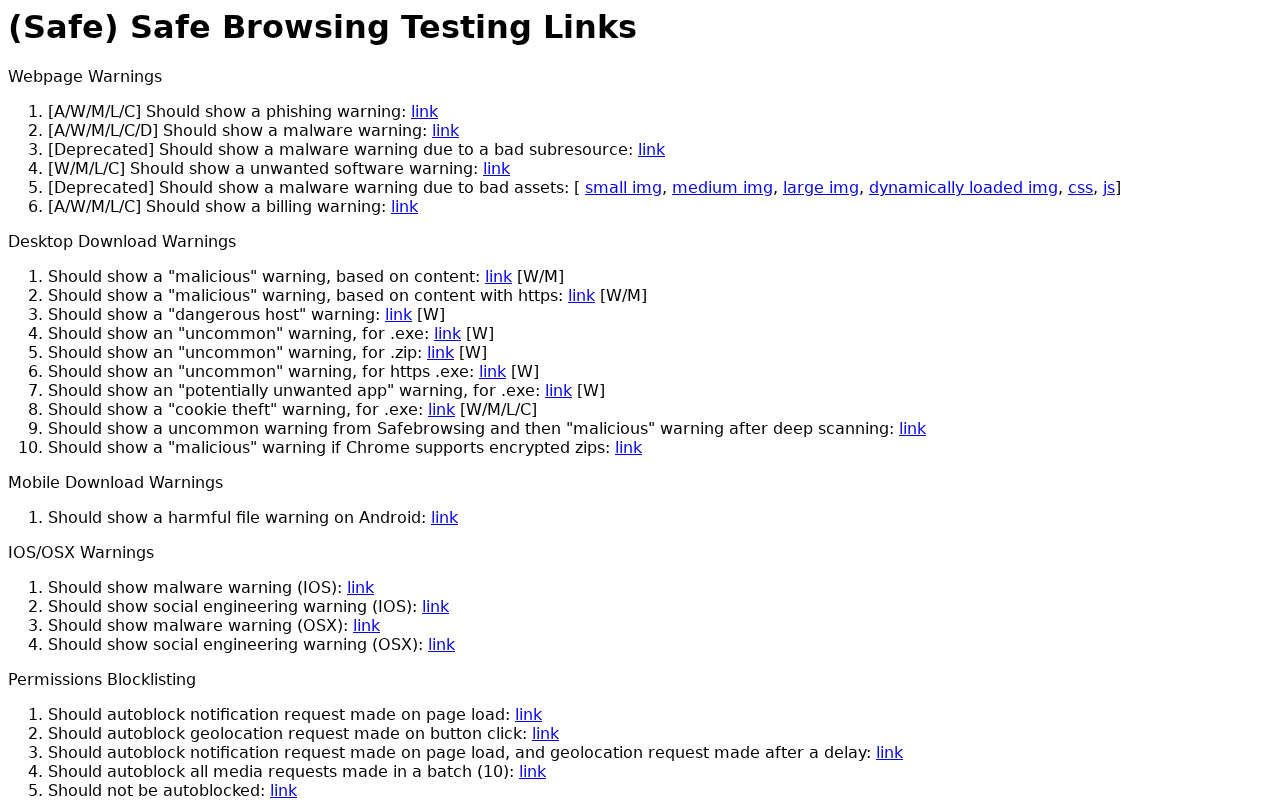 See the live page ↓
These checks passed — but they don't clear the site. A clean antivirus result, valid SSL, and a calm server only mean it isn't hosting malware; they say nothing about whether the business is real. This verdict is based on the site's conduct and content, not a malware detection.
Analysis Summary
Website Preview
Automated page render — captured in a safe sandbox. What an ordinary visitor would see when loading the site. Marker positions are approximate. See full visual analysis →
Visual analysis
We capture a fresh screenshot of the live page and ask a vision model to look for scam visual patterns — fake trust badges, countdown timers, overlay pop-ups, and visual clones of legitimate brands.
No scam visual patterns detected
This is a legitimate technical testing page designed to verify browser security warning functionality.
What our vision model saw
3 signalsPage serves as a technical testing utility for browser security warnings
Content consists of descriptive text and links for triggering various safety alerts
No deceptive elements, phishing indicators, or malicious patterns identified
Intelligence
The domain testsafebrowsing.appspot.com is a Google-owned testing utility hosted on the legitimate appspot.com platform. Two antivirus engines flagged it because the site deliberately serves malware and phishing test pages to trigger browser warnings. The page content confirms this purpose with explicit links for testing various security alerts. No scam reports or complaints exist against the site itself. The domain is 0 days old because it is a testing subdomain created for this specific purpose. The visual analysis shows a clean technical testing page with no deceptive elements.
Web Research Findings
Independent findings for testsafebrowsing.appspot.com, including public complaints, named review sources, registration records, and look-alike-domain evidence. A missing result is shown as unverified, never converted into a clean bill of health.
- The domain 'testsafebrowsing.appspot.com' is an official Google-owned site used by developers to test Safe Browsing API integrations.
- The site is frequently flagged by automated security scanners (e.g., Gridinsoft, Malwarebytes) because it hosts intentional 'malware' and 'phishing' test pages to trigger browser security warnings.
- Security vendors often flag the domain as 'suspicious' or 'unsafe' due to its association with hosting test-malware, leading to false-positive reports in automated reputation tools.
- The domain is hosted on Google's 'appspot.com' infrastructure, which is a legitimate platform that is also frequently abused by third parties to host actual malicious content.
- There is no evidence of malicious intent by the domain owners; the site's purpose is explicitly for security testing and API validation.
- Gridinsoftopen
"Our system marks Testsafebrowsing.appspot.com as suspicious. The decision is based on a cluster of weak trust signals, not one isolated event."
- Malwarebytesopen
"Several subdomains of the domain appspot.com were blocked by Malwarebytes because they were associated with phishing and riskware."
Gridinsoft marked the domain suspicious based on a cluster of weak trust signals rather than specific malicious activity. Malwarebytes blocked several appspot.com subdomains because they host intentional phishing and riskware test content. No actual scam reports or victim complaints were found. The evidence confirms this is an official Google testing site that triggers false positives in automated security tools due to its legitimate purpose of hosting test malware.
Threat Detection
Antivirus Engines
Security Scans
Checked against the major public blocklists used by browsers and security tools — no hits.
Reputation Sources
How this domain rates across independent threat-intelligence and blocklist providers.
Technical Details
domain · encryption · redirects · server reputation · referencedThe plumbing behind the site — who registered it, how it’s encrypted, where it’s hosted, and where it links out. A valid certificate or a calm server doesn’t mean the business is honest — scam sites pass these checks too. Use this to corroborate the verdict, not to overturn it.
Contact Verification
We fetched the page and looked for real-world contact details. Legitimate businesses almost always publish an email on their own domain, a phone number, and a postal address. Scam shops usually don't.
- No contact email found anywhere on the page.
- No phone number listed on the page.
- No postal address visible on the page.
Domain & Encryption
Server Reputation
Trust History
What to do
Proceed with caution
Our automated review flagged enough risk that you should treat this site as unverified.
- Treat testsafebrowsing.appspot.com as unverified
Do not enter credentials or send money until you have independently verified the business.
- Verify the business through independent channels
Check the company's social profiles, registry records, and search for recent news or reviews that are not hosted on the site itself.
- Never use irreversible payment methods
Crypto, gift cards, wire transfers, and cash apps offer zero buyer protection. Use a credit card or PayPal if you must pay.
- OpenShare your experience
If you have additional context, drop a comment below or post on the MalwareTips forum.
Final Verdict
This is Google's official Safe Browsing test site. Two security engines flagged it because it intentionally hosts malware and phishing test pages, but the domain is legitimate and used by developers to verify browser security features.
Safety FAQ
Common questions, answered directly from the scan data above — so the answers always reflect the latest verdict on this page.
- testsafebrowsing.appspot.com looks like a likely scam site — avoid interacting with it. 4 of 92 security engines flag it (2 as outright malicious). The domain is only 0 days old — a fresh registration is a classic scam fingerprint. It may not be an outright scam, but the risk is high enough that you should verify it independently before trusting it with money or data.
- Proceed with caution — testsafebrowsing.appspot.com scores 59/100 on our trust scale. We found enough warning signals to recommend verifying it through independent channels before entering credentials or money.
- If you've already paid or handed over details on testsafebrowsing.appspot.com, act quickly. 1) Contact your bank or card issuer immediately and ask to dispute the charge or open a chargeback — the sooner you act, the better your odds. 2) Report the site to the U.S. FTC at reportfraud.ftc.gov or the FBI's IC3 at ic3.gov, and in the UK to Action Fraud at actionfraud.police.uk. 3) If you entered a password, change it on testsafebrowsing.appspot.com and anywhere you reused it, and turn on two-factor authentication. 4) Watch your bank and email for follow-up fraud, and keep screenshots as evidence.
- Often yes, if you act fast. Payments made by credit or debit card can frequently be reversed through a chargeback or dispute — contact your bank right away and explain it was a fraudulent site. Bank transfers and gift-card or voucher payments are much harder to recover, but you should still report them to your bank and to the FTC (reportfraud.ftc.gov) or Action Fraud (actionfraud.police.uk). Avoid any "refund" or "recovery" service that contacts you first — it's usually a follow-up scam.
- Just viewing a scam page is usually low-risk on an up-to-date browser — the real danger is what it asks you to DO (enter details, download a file, send money). If you downloaded anything, run a full antivirus scan and treat the file as untrusted. If you entered a password or card number, change the password everywhere you reused it and contact your bank.
- You can report testsafebrowsing.appspot.com through several official channels: the U.S. FTC at reportfraud.ftc.gov, the FBI's Internet Crime Complaint Center (IC3) at ic3.gov, and — in the UK — Action Fraud at actionfraud.police.uk. You can also flag it to Google Safe Browsing (safebrowsing.google.com/safebrowsing/report_phish) so other browsers warn about it, and report it to the company being impersonated if there is one. Reporting helps get scam sites taken down faster.
- Modern scams are built to look convincing. A valid SSL padlock, a polished template, stock photos, fake reviews, and a trust badge can all be added in minutes and prove nothing about who runs the site. Scammers buy cheap domains, clone real designs, and copy legal pages wholesale. That's exactly why an automated review that checks the domain's age, hosting, blacklists, and behaviour — rather than just how the page looks — is more reliable than a first impression.
- Yes. 4 of 92 antivirus and blocklist engines in our malware network flagged testsafebrowsing.appspot.com, 2 of them as outright malicious. Even a single detection from a reputable engine is a meaningful warning, and multiple detections rarely happen by accident.
- No — testsafebrowsing.appspot.com is not currently on the major browser blocklist feeds that Chrome, Safari, Firefox, and Edge rely on. Note that blocklists can lag behind brand-new scam domains, so "not listed" is reassuring but not a guarantee on its own.
- testsafebrowsing.appspot.com is 0 days old. Scam sites are very often freshly registered and short-lived, so an age under six months is a reason for extra caution.
- Yes — testsafebrowsing.appspot.com presents a valid TLSv1.3 certificate issued by Google Trust Services · WR2, valid for another 58 days. Important caveat: SSL only encrypts the connection between you and the site — it does not verify who runs it. Almost all scam sites now have valid SSL too, so a padlock alone never means "safe".
- testsafebrowsing.appspot.com resolves to an IP operated by Google LLC in US (Content Delivery Network). Hosting location alone doesn't make a site good or bad — but hosting that doesn't match a brand's claimed country, or that sits on networks known for abuse, is one of the many signals we weigh alongside the verdict above.
User reviews & comments(0)
Share your experience — "Lost $200 on a fake checkout" is more useful than "Scam". Your review helps others avoid traps.